
Iptv remote in Canada: pairing, buttons and fixes
The best iptv remote is usually the one that came with the device you watch on. A Firestick is driven by its own remote, an Android TV or Google TV box by the remote in its box, an Apple TV by the Apple remote, and a MAG box by its infrared remote; the iptv player app simply follows whatever that remote sends. So the real questions are how to pair it, what the buttons do inside a player, and what to try when it stops answering. This guide covers all three, then turns to the other meaning people search for: watching your iptv remotely, away from home.
In this article
Which iptv remote works with which device
There is no special remote for iptv. The service arrives as a stream inside an app, and the app reads the same button presses as every other app, so a replacement remote has to match the device, not the service.
| Device | Remote it uses | How it talks to the device | Worth knowing |
|---|---|---|---|
| Firestick | The remote supplied with the stick, or a compatible replacement | Bluetooth, so no line of sight needed | Some versions also carry television power and volume buttons |
| Android TV and Google TV boxes | The box’s own remote, or a Bluetooth remote or keyboard | Usually Bluetooth; some boxes use infrared | Extra remotes are added from the box’s settings |
| Apple TV | The Apple remote supplied with the box | Bluetooth, with infrared for television control | The remote has changed across generations, so layouts differ |
| Smart TV running a player app | The television’s own remote | Infrared or Bluetooth, depending on the model | Can also steer a connected box through HDMI-CEC |
| MAG box | The infrared remote supplied with the box | Infrared, so it needs a clear view of the box | Button layouts vary between models and resellers |
| Any Android device with USB | An air mouse or keyboard remote | A small USB receiver, or Bluetooth | Useful for typing logins and moving a pointer |
Firestick remote
The Firestick remote pairs over Bluetooth, which means you can point it anywhere in the room, and for most households it is the only iptv remote they ever need. Its microphone button is the quickest way to search for a player app. Our Firestick setup guide walks through installing a player and loading your details.
Android TV and Google TV remote
Boxes running Android TV or Google TV ship with their own remote, and the exact layout depends on who made the box. Most of them let you pair a second iptv remote, a game controller or a Bluetooth keyboard from the settings menu, in a section for remotes and accessories; the wording of that menu varies by manufacturer and software version. The Android TV guide covers the app side.
Apple TV remote
The Apple TV remote uses a touch surface or a click pad, depending on its generation, and it can also switch the television on and adjust volume. Setup for the box itself is in our Apple TV guide.
Smart TV remotes and HDMI-CEC
If your box is plugged into the television by HDMI, the television’s own remote may be able to control the box as well. That works through HDMI-CEC, a feature that lets devices on an HDMI connection pass commands to each other. Each television manufacturer gives it its own name in the settings menu, so look for a CEC or device link option, or search the manual for “CEC”. Wikipedia’s entry on Consumer Electronics Control explains how it works and lists many of those brand names. CEC support is not uniform: some boxes accept only basic navigation through it, and some player apps ignore it.
MAG box remote
A MAG box comes with an infrared remote, so it needs a clear path to the front of the box. If the box sits behind a cabinet door, the remote will not reach it. Our MAG box guide covers the portal setup.
Air mouse and keyboard remotes
An air mouse moves an on-screen pointer as you tilt it, and many come with a small keyboard on the back. They save time when typing a server address and password. Most use a small USB receiver, which suits a box with a spare port; on a stick, a Bluetooth model is simpler.
Phone remote apps
Your phone can stand in for a lost remote. The device makers publish their own remote apps, and on an iPhone a remote control can be added to the Control Center for Apple TV.
How to pair an iptv remote
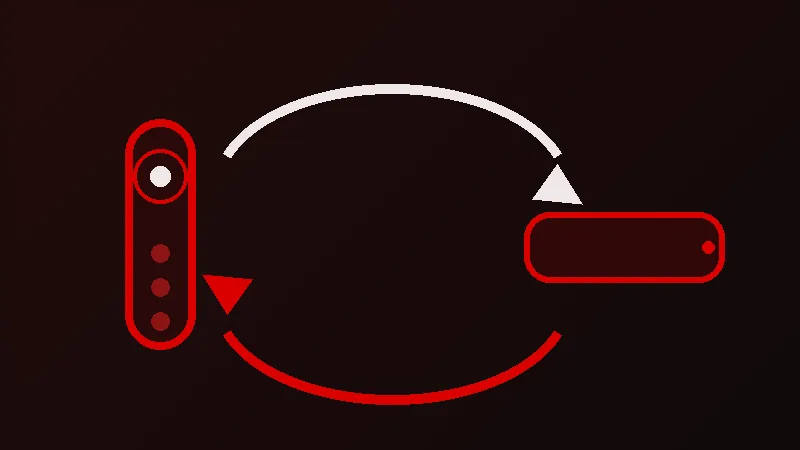
Bluetooth remotes have to be paired once; infrared remotes do not, they just need a clear view. The general pattern is the same on most devices.
- Put fresh batteries in the remote, or charge it if it is rechargeable. Weak batteries are a common reason pairing fails.
- Hold the remote close to the device, within a metre or so.
- Put the remote in pairing mode. On a Firestick remote, Amazon’s help pages describe holding the Home button for about ten seconds. On recent Apple remotes, Apple’s support article describes holding the Back and Volume Up buttons for about five seconds near the box. For other remotes, the manual or the maker’s help page gives the button combination, and it differs by model.
- For a second remote on an Android TV or Google TV box, start the search from the remotes and accessories area of the settings, then put the new remote in pairing mode.
- Wait for the confirmation on screen, then test a few buttons inside the player app, not only on the home screen.
If a remote refuses to pair, unplug the device from power for thirty seconds and try again.
What the buttons do in a player app
Player apps differ, so treat this as a general map rather than a fixed rule. The arrow pad moves between channels and menus, and the centre button selects. Back takes you one step out, from a playing channel to the channel list, then to the categories. In many players, pressing up or down while a channel is playing moves to the next or previous channel, and a long press on the centre button opens options such as favourites or audio tracks. Menu or options buttons, where the remote has them, often open the app’s settings or the programme guide.
On a remote without number keys, a favourites list is far quicker than scrolling, so learn the button that opens it in your app.
Using your phone as an iptv remote app
If the physical remote is lost or its batteries are flat, a phone can stand in. Fire TV, Google TV and Roku devices each have an official remote app from the device maker, and an Apple TV can be controlled from the Control Centre on an iPhone. These apps reach the device over your home Wi-Fi, so the phone and the device must be on the same network. Typing a long playlist address or a login is also far easier on a phone keyboard than with arrow keys. The player app does not need to support any of this: for the app, the button presses look exactly like a normal remote.
When the remote stops responding
An iptv remote that suddenly ignores you is rarely broken. Work through these checks in order, because the early ones take seconds.
| Symptom | Likely cause | What to try |
|---|---|---|
| Nothing responds at all | Flat batteries | Replace both batteries at once, with the same type |
| Works on the home screen, not in the player | The app has lost focus or frozen | Press Back, then close the app fully and reopen it |
| Responds only when held close | Weak batteries or a blocked infrared path | New batteries; clear the space in front of the box |
| Stopped after a power cut or update | The Bluetooth pairing was lost | Pair the remote again, as described above |
| Television remote no longer controls the box | HDMI-CEC switched off or confused | Check the CEC option on the television, then unplug both devices for a minute |
An infrared remote works like a torch: anything solid between it and the box, including a glass cabinet door or a soundbar, can stop it.
If the remote works everywhere except inside the player, and the picture is frozen too, the remote is fine and the stream is the issue. Our page on iptv not working takes that problem from the start.
Remote iptv: watching away from home
The other meaning of remote iptv is watching away from your home connection: at a cottage, in a hotel or on a work trip elsewhere in Canada. The service is delivered over the internet, so it is not tied to one address. If you can install your player app on a phone, tablet or laptop, or take your streaming stick with you and plug it into another television, you can sign in with the same details and watch.
- Connections are per plan. The number of screens that can stream at the same time depends on the plan you hold. A one-device plan is one stream at a time, so if someone at home is watching while you are away, the second screen will not play. Our 2-device and 3-device plans exist for exactly that.
- Hotel and guest wifi varies. Shared networks are often slow in the evening, and some block certain kinds of traffic. Mobile data or a phone hotspot is a useful backup, though video uses a lot of data, so check your allowance first.
- Take the stick, its remote and its power adapter. A hotel television may not let you change the HDMI input easily, so check before you rely on it.
Plans for more than one screen
Single-device plans are CA$40 for one month, CA$60 for three months, CA$90 for six months and CA$130 for twelve months. Two-device plans are CA$70, CA$100, CA$155 and CA$220 over the same periods, and three-device plans are CA$95, CA$145, CA$215 and CA$290. You can still ask for your money back within 7 days, and the side-by-side view of all plans is on our pricing page.
If you want to check that your remote, your device and your player get along before paying, ask for a free trial through the WhatsApp button on any page; the trial guide explains what you get. If the iptv remote still misbehaves after that, message us on WhatsApp at any hour; someone answers as soon as possible.
Frequently asked questions
Do I need a special iptv remote?
No. The player app reads the same buttons as every other app on your device, so the remote that came with your Firestick, box, Apple TV or television is the one to use. A replacement only has to match the device.
Can my TV remote control my iptv box?
Often, yes, through HDMI-CEC. Turn on the CEC option in the television’s settings, where each manufacturer uses its own name for it. Support varies, so some boxes and apps respond only to basic navigation this way.
How do I pair a new remote with my device?
Fit fresh batteries, hold the remote close to the device and put it in pairing mode with the button combination from the maker’s instructions. On Android TV and Google TV boxes, start the search from the remotes and accessories area of the settings first.
Why does my remote work on the home screen but not in the player?
The app has usually frozen or lost focus behind a pop-up. Press Back once, and if that does nothing, close the app completely and reopen it. If the picture is frozen as well, the stream is the problem rather than the remote.
Can I use my phone as an iptv remote?
Yes. The device makers publish remote apps for phones, and on an iPhone an Apple TV remote can be added to the Control Center. The phone usually needs to be on the same wifi network as the device.
Can I watch my iptv remotely when I travel in Canada?
Yes. Install your player on a phone, tablet or laptop, or take your streaming stick and its remote, and sign in with the same details. The number of screens that can play at once depends on your plan.
Why does my stream stop when someone at home is watching?
Your plan allows a set number of simultaneous connections. A one-device plan plays on one screen at a time, so a second screen is refused while the first is in use. A 2-device or 3-device plan covers watching on more screens at once.
Ready to Start Streaming?
Get the best 4K IPTV experience in Canada with extensive channel lineup and lag free sports.
View Canadian Pricing Plans